
Kuwait Civil ID Status Check Online – PACI Guide
Check your Civil ID status now in seconds. Enter your Civil ID number or envelope number and check your status online. No Office visit needed.
This is an independent guide with no official link to PACI. Every step here is verified against PACI’s official portal and the Sahel app, accurate, current, and free forever.
What Is Civil ID Status and Why Does It Matter?
When you apply for Civil ID or renew your ID card in Kuwait, it goes through different stages. Status checking means tracking which stage your card is in. Track your card status regularly to get it faster.
Why Does it Matter?
A Civil ID Card is not just a card; it is your identity, and you need it everywhere. You can’t travel, open a bank account, or get a SIM card without a Civil ID. So, this card is important for living in Kuwait.
Keep it updated to avoid getting stuck anywhere. Check the status regularly after applying. PACI Kuwait is helpful in this case.
When Should You Check Your Status?
Check Your ID Status:
How to Check Civil ID Status Online (Easy Steps)
Here is a detailed tutorial about checking your civil Status. Follow a method from the options given. I have explained each method. Before checking your PACI status, make sure your Civil ID payment and application are complete
Using the PACI website
This is the simplest and easiest way, and you don’t need to download anything.
- Go to services.paci.gov.kw
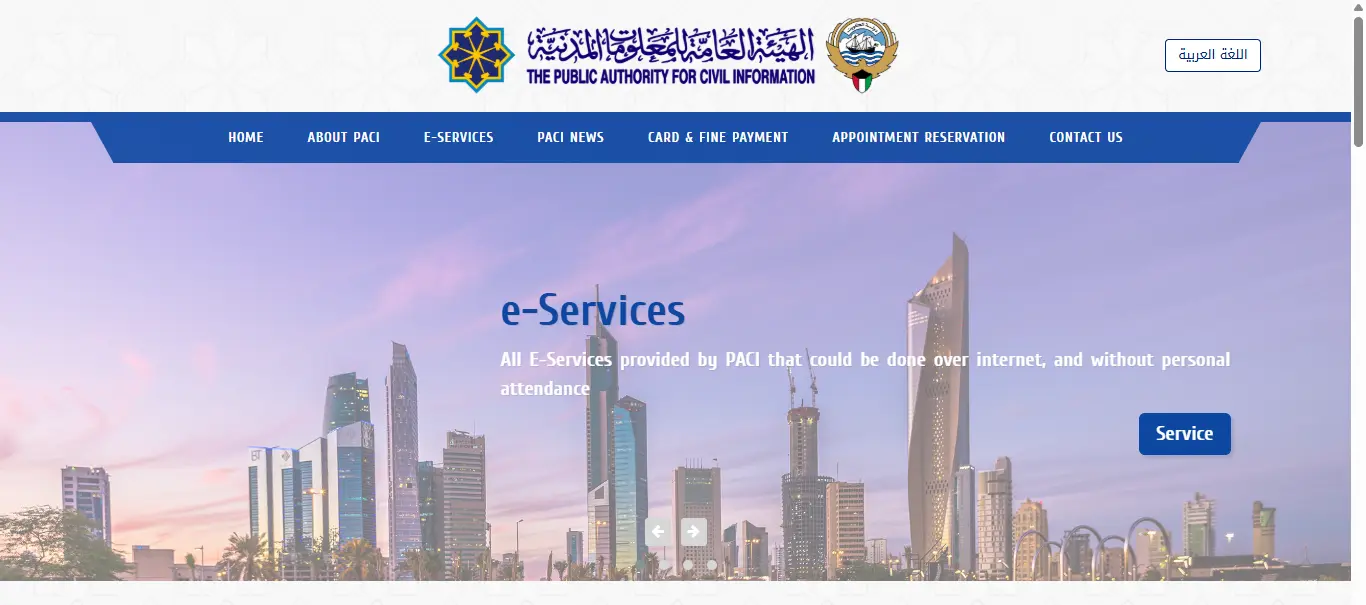
2. Scroll down to the Card Status tab.
3. Enter your Civil ID number or envelope number
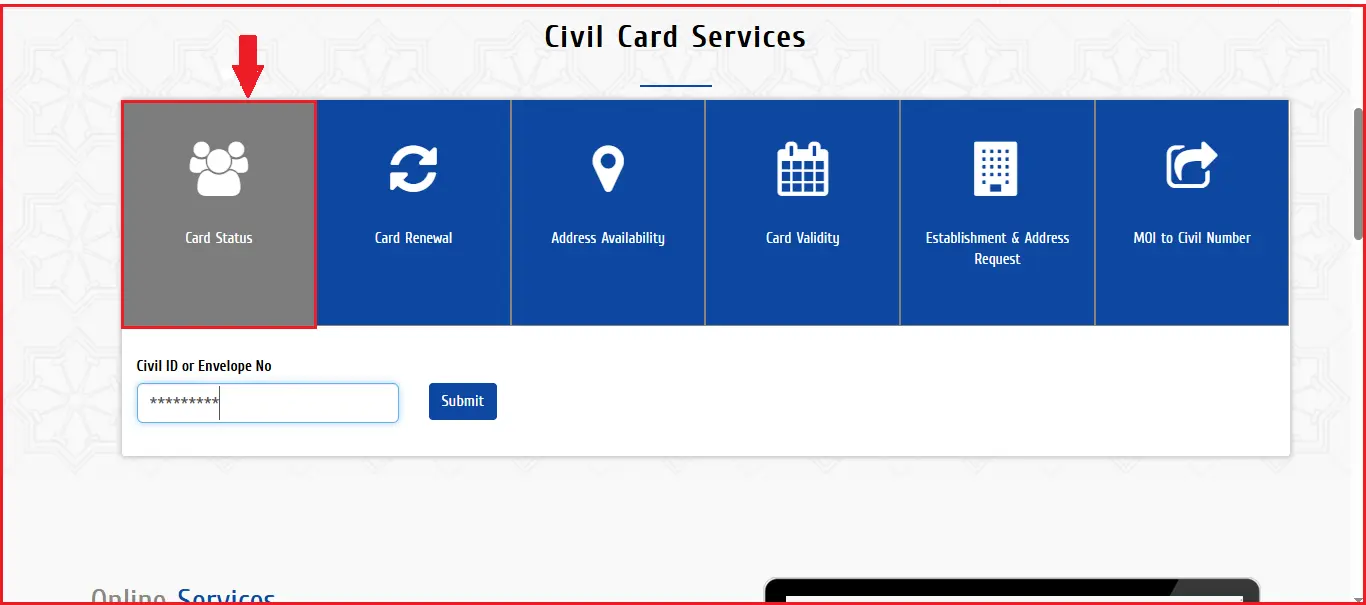
4. Hit Submit.
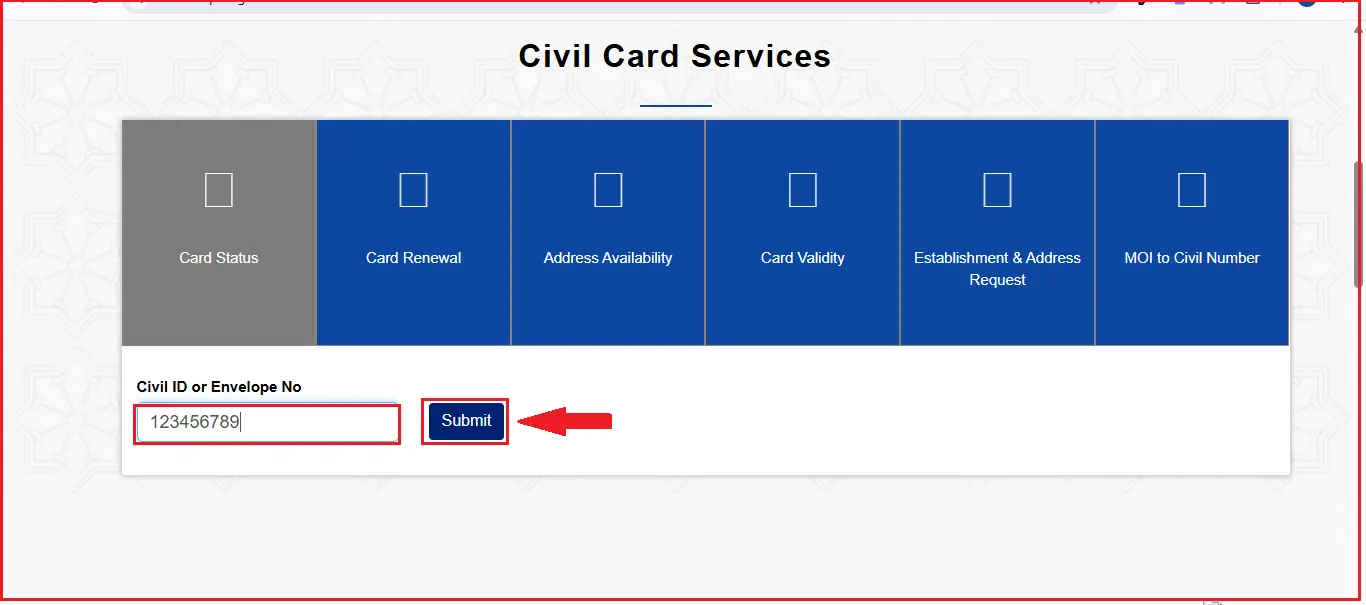
No login or registration is required for this method.
5. Your current status will show up on the screen right away
Using the Sahel App
Already have Sahel installed? Even better.
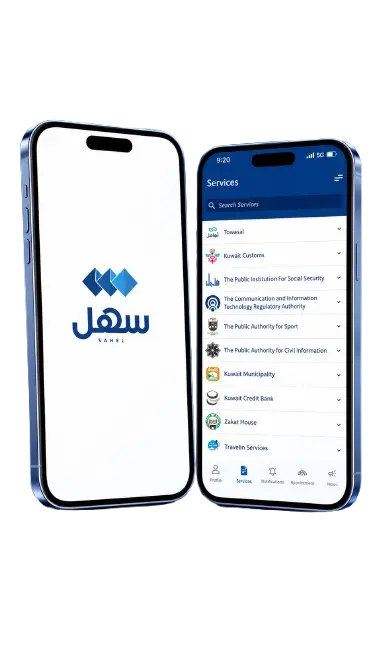
- Open the Sahel app and log in with your Civil ID
- Tap Services on the home screen
- Select Public Authority for Civil Information (PACI)
- Choose Individual Services
- Tap Card Status
- Your result will appear instantly
Kuwait Mobile ID Check via Hawyati App
This one takes a couple of extra steps, but it works well too.
- Download Hawyati (Kuwait Mobile ID) from the App Store or Google Play
- Open the app and complete quick registration
- Log in using your Civil ID number
- Tap Civil ID Inquiry from the menu
- Enter your Civil ID number, date of birth, and the verification code shown
- Tap Submit to see your status
All three methods take less than two minutes. If one app is acting up or the site is slow, try another.
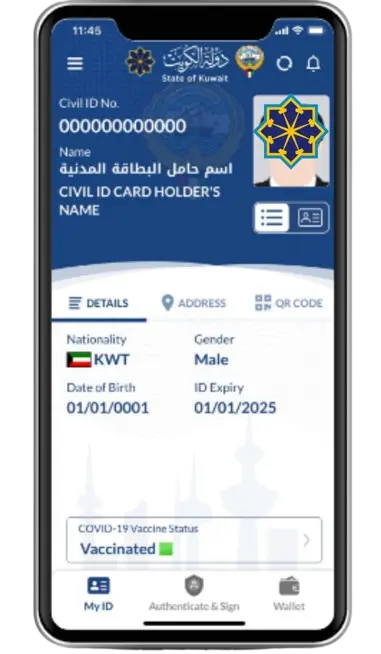
Other ways to check civil ID card status
No Internet? Don’t worry, you can still check Status. Here are the other simple methods. Follow each step for a hassle-free status check without internet.
Call Service
A good old-fashioned phone call, still one of the most reliable options.
It is free, works on any mobile or landline, and is available in both Arabic and English.
SMS Service
If you can’t make a call or prefer texting, this takes seconds.
A couple of useful variations:
Office Visit and Kiosk Machines
Visit the PACI office if you want in-person help. PACI centers have self-service kiosks for exactly this.
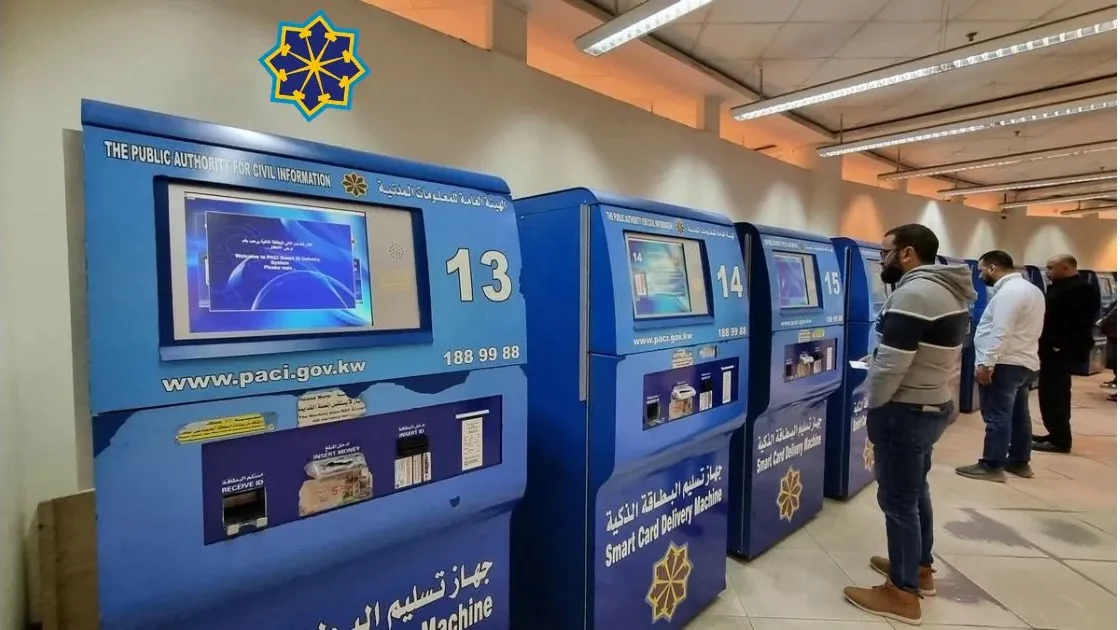
- Visit your nearest PACI service center
- Go to the designated status-check kiosk/device
- Place your Civil ID (or enter your Civil ID number) on the device
- Follow the on-screen instructions to view your status
Ask anyone if you don’t know how to use these machines. Bring your original passport along, just in case staff needs to verify anything on the spot.
Understanding Your Status Results
When you check your Civil ID Status, you see some conditions. Here are the status conditions explained.
Under Process
This just means your application is still in progress. No need to worry. It also shows when you update your Civil ID.
Your Civil ID is being reviewed, printed, or prepared. It usually takes about 7–10 working days, though it can stretch longer during busy periods like Ramadan or summer.
If it’s still showing “Under Process” after 14 working days. Call PACI on 1889988.
Ready for Collection
This condition is good news. It means your card is done and waiting for you.
This means PACI has finished processing your Civil ID, and it’s sitting at your collection center (or with the courier, if you chose home delivery). Head over with your original passport to pick it up.
On Hold or Suspended
A held card means there is a problem that needs your attention.
PACI Kuwait vs MOI: Where Should You Check?
Most people mix both of these. But these handle the matter differently. Here is a detailed comparison.
Details | PACI Portal | MOI Portal |
|---|---|---|
Full Name | Public Authority for Civil Information | Ministry of Interior |
Website | services.paci.gov.kw | moi.gov.kw |
Checks | Civil ID card status | Residency (Iqama) status |
Manages | Civil ID issuance, renewal, address updates | Residency, visa, sponsorship, traffic matters |
Best for | Application progress, ready-for-collection status | Residency validity, visa or sponsorship issues |
Required Info | Civil ID number or envelope number | Civil ID number or residency file number |
Common Result | Under Process / Ready for Collection / Suspended | Valid / Expired / Under Renewal |
Use It When | You want to know if your card is ready | Your PACI status shows “data not found” or won’t update |
Fines Handled | Civil ID renewal fines | Traffic and residency-related fines |
Mobile App | Sahel, Hawyti | MOI Kuwait App |
Relation to Card | Issues the physical card | Approves the residency the card is based on |
Troubleshooting: When Something Looks Wrong
You may face problems while checking your status. I have explained solutions to these common issues.
Application Delayed
Suppose your status has been stuck on “Under Process” for more than 14 working days. Here is a simple solution. Call PACI on 1889988 and ask for an update using your Civil ID or envelope number. Delays are more common during Ramadan and summer.
Details Not Found
This usually means one of three things: a typing mistake in your Civil ID number, your application wasn’t fully submitted, or MOI hasn’t confirmed your residency yet. Double-check every digit first. If it’s correct, confirm with your sponsor that the PACI step was completed, not just the MOI residency step.
Not Updating
Sometimes the Sahel app shows a different result than the PACI website — this is usually just a caching issue, not a real problem. Treat the PACI website as the most accurate source. Try clearing the app’s cache and checking again. If the mismatch persists after 24 hours, contact PACI directly.
Frequently asked questions
Final Words
Checking Kuwait civil ID status is simple now. You can use different online and offline methods provided by PACI Kuwait for this purpose. Every method is explained briefly. I have suggested the best method according to your category. Renew your card as soon as possible when it expires to avoid trouble in daily life activities.